UX Tasting Module
The tasting module allows you to record and analyze your wine tastings in a structured way. The workflow is designed to be faster, with direct access to your tasting history.
Creating a Tasting
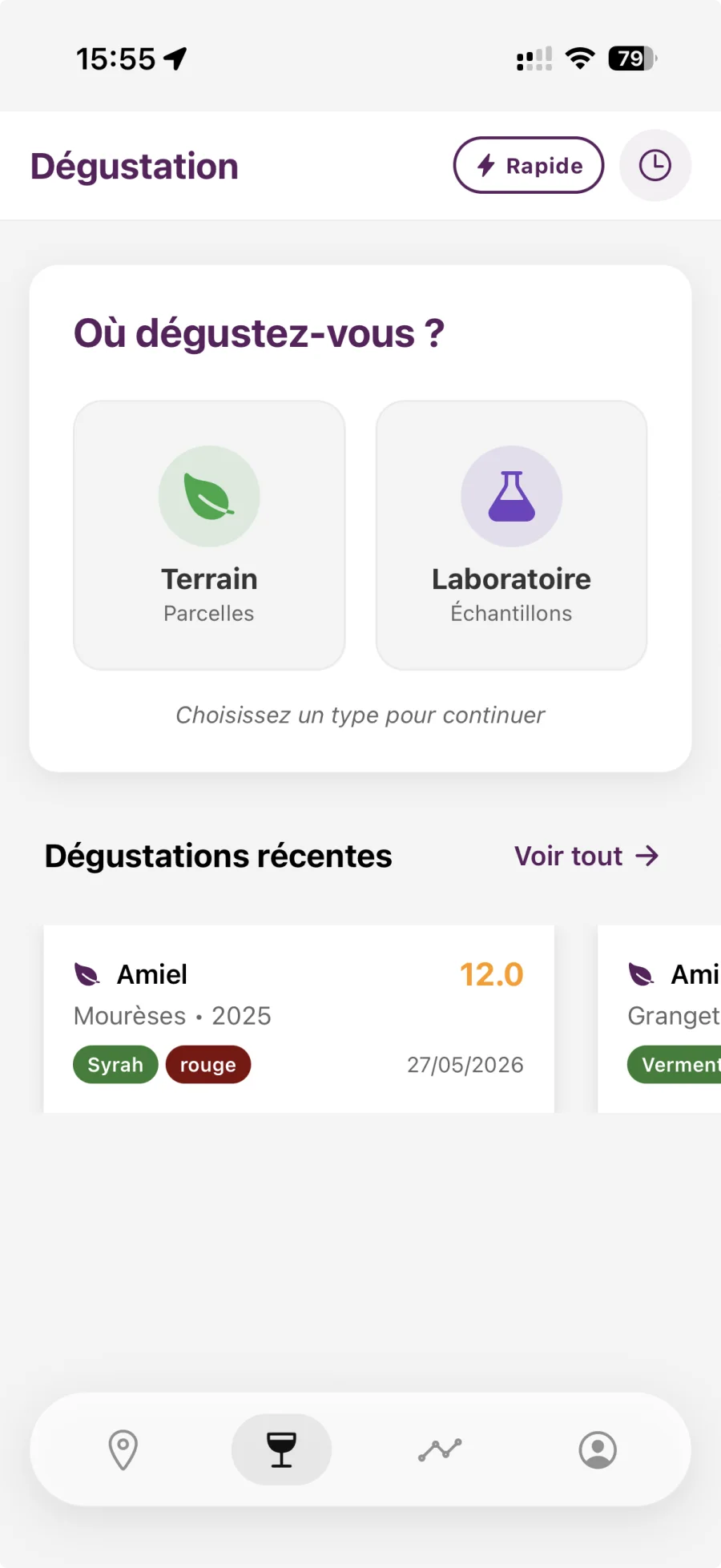
Step 1: Context selection
The context defines where the tasting takes place:
- Field: Tasting in the field, linked to a plot
- Laboratory: Laboratory tasting, sample
- Cuverie: Tasting in a vat, linked to a vat
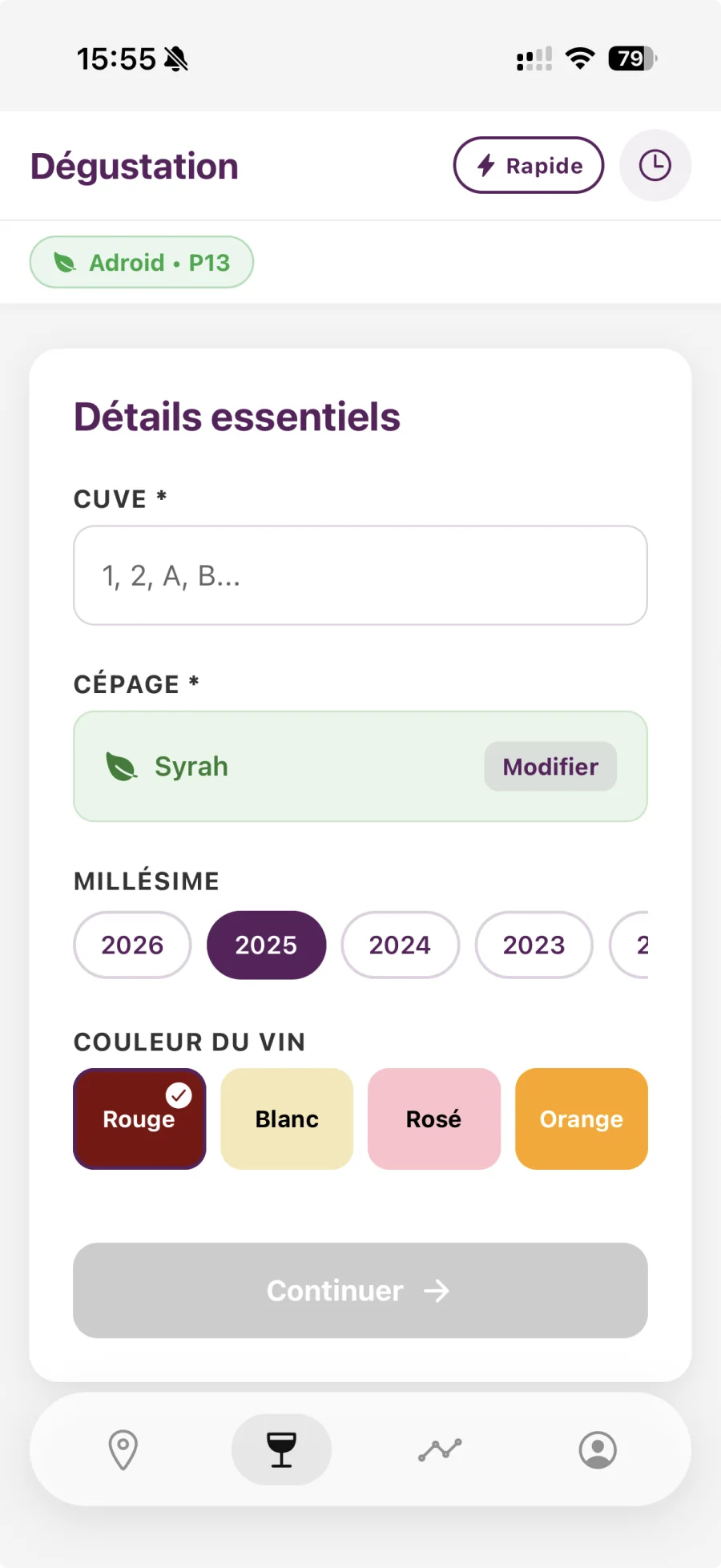
Step 2: Essential information
For the "Field" context:
- Domain: Select the domain (required)
- Plot: Select the plot (required)
- The grape variety of the plot is automatically pre-filled
- You can change the grape variety if necessary
- Tank: Enter the number or name of the tank (required)
Step 3: Voice Recording
- Check that all required fields are completed
- The microphone button becomes active
- Press the mic button to start recording
- Speak your tasting in a natural way
- Describe:
- Visual: Color, intensity, clarity, shine
- Olfactive: Intensity, aromatic families, first nose, second nose
- Taste: Attack, acidity, tannins, alcohol, body, balance, length
- Overall: General impression, typicality, complexity, aging potential
- Press the button again to stop recording
- The app automatically transcribes and analyzes
Example of vocal tasting:
"Visually, the wine has a ruby red color, quite intense. On the nose, we perceive aromas of red fruits, cherry, with spicy notes. On the palate, the attack is frank, the acidity is balanced, the tannins are present but supple. The wine has a good balance, an average length. Overall, it is a typical wine of the terroir, with an average complexity and an aging potential of 3 to 5 years."
Step 4: Automatic analysis
After transcription, the AI analyzes your tasting and structures the notes:
- Visual notes: Intensity, nuance, clarity, shine, tears
- Olfactory notes: Intensity, quality, aromatic families, first nose, second nose, defects
- Taste notes: Attack, acidity, tannins, alcohol, body, balance, length, finish
- Overall notes: Impression, typicality, complexity, aging potential, pairings
Overall score:
- The AI generates a score out of 20
- The score is based on the complete analysis of the tasting
- Scores are displayed with a color code:
- 16-20: Excellent (green)
- 12-15: Good (orange)
- 8-11: Medium (red)
- <8: Needs improvement (dark red)