How to get started with ŒnoT?
In less than 1 minute, set up your first domain and your first plot. It's simple and intuitive.
Create your first domain
In the "My Domains" page, click on "New Domain". Enter the domain name and a manager name for tracking (optional).
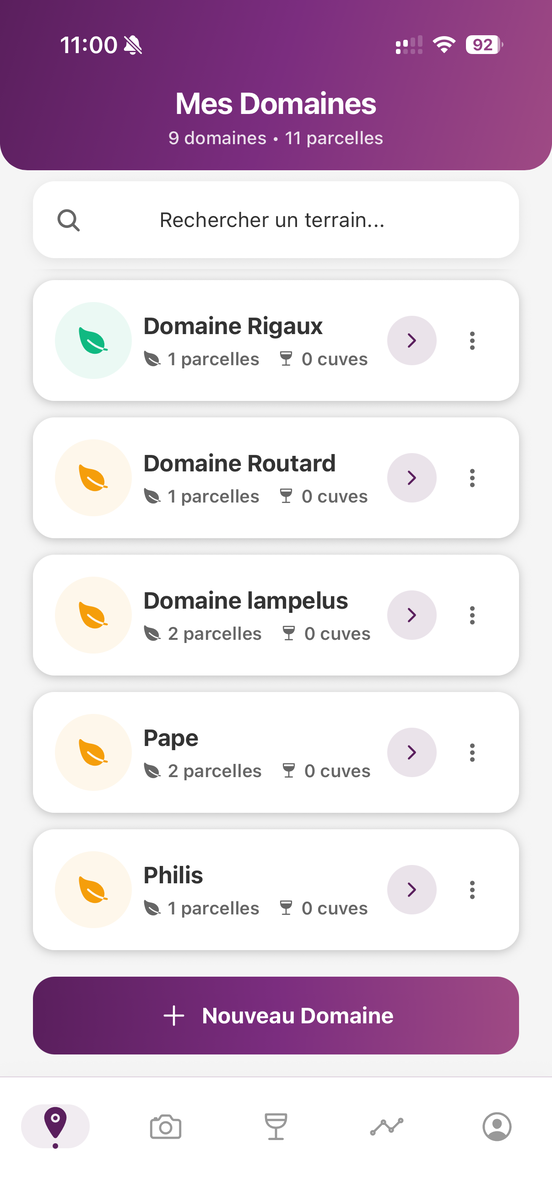
Step 1: My Domains Page
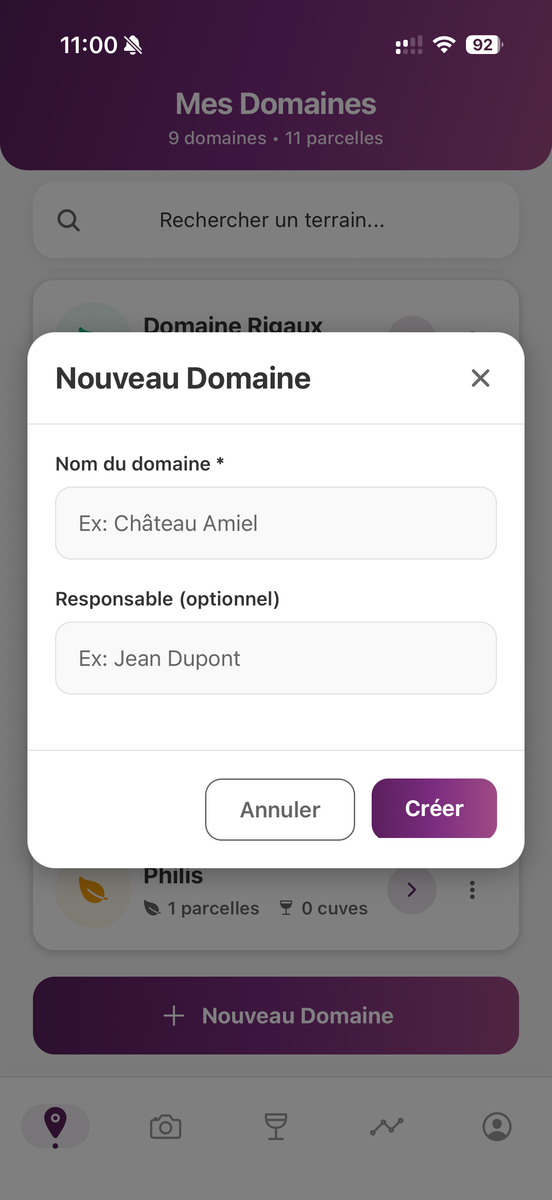
Step 2: Create the domain
Define your plots
Go to "Plots" and create a new plot. Set the plot name and grape variety. Area and soil type are optional.
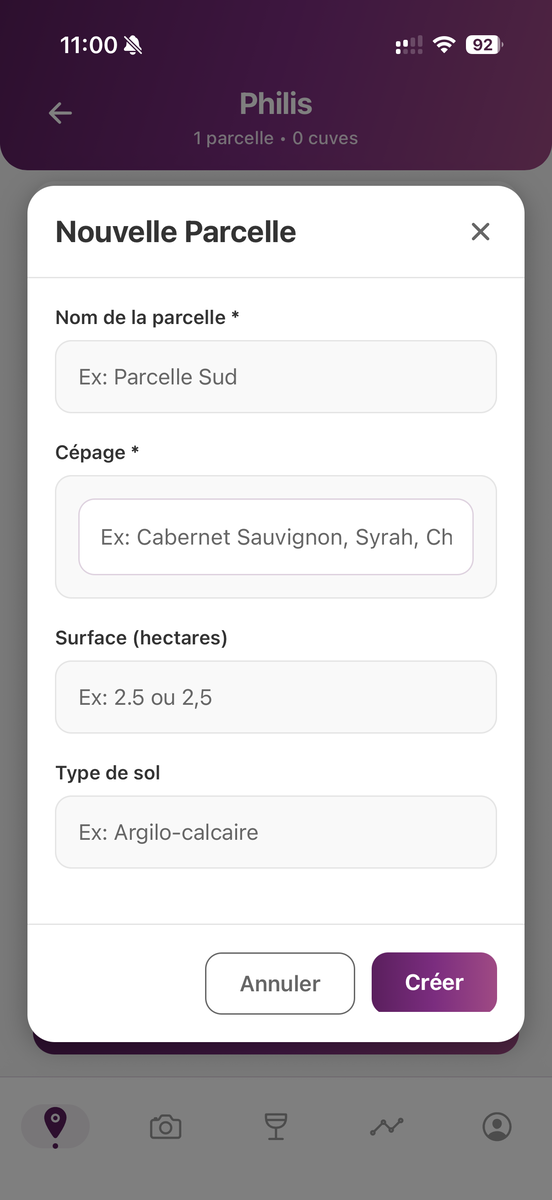
Create your plot
Make your first voice observation
Once your plot is configured, you can start your observations! Click on "Start an observation" and dictate your observations. The app automatically detects phytosanitary products based on the diseases you mention in your voice dictation.
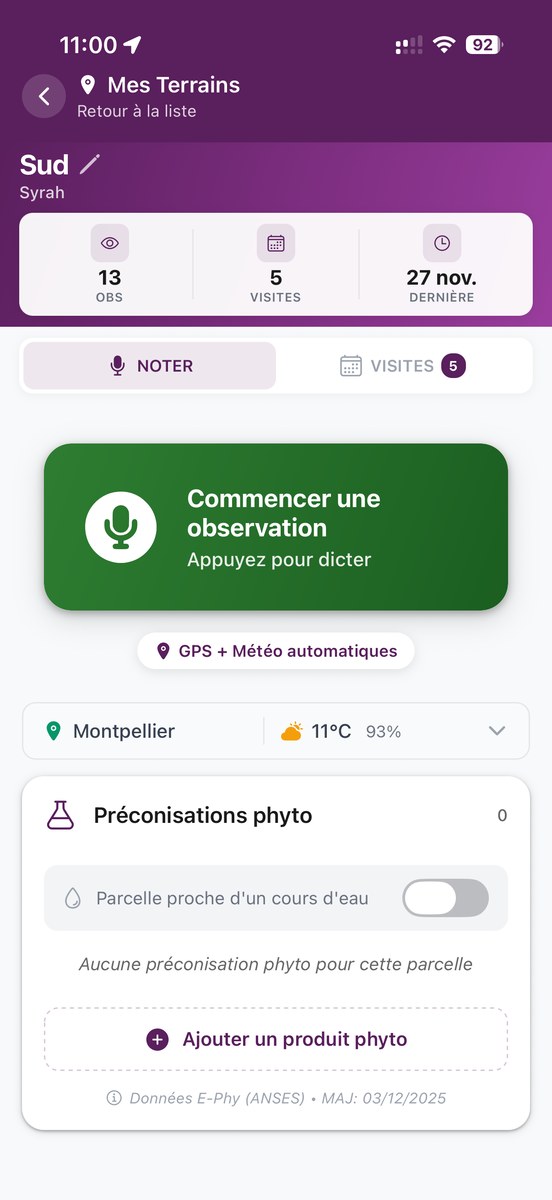
Start your observations
Tip: You can also add phytosanitary products manually or enter your voice data directly in the app.
That's it! You're ready to start
In less than 1 minute, your setup is complete. You can now enjoy all the features of ŒnoT.